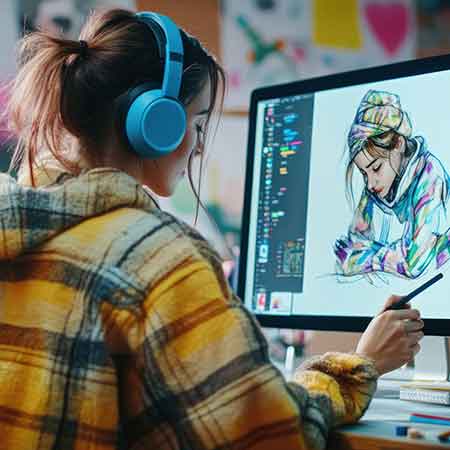
What you'll learn

  • Full knowledge of Procreate interface
  • Brush control + brush customization
  • Layer mastery including clipping mask
  • Professional line art workflow
  • Digital colouring + blending
  • Skin, hair, fabric painting
  • Light, shadow & atmosphere
  • Final digital illustration workflow

This Course includes:

  • 6 Month Duration
  • Monthly 4 classes
  • Live Interactive class
  • Fine Arts Faculties
  • Certificate of Completion
  • Competition Support
  • Painting Workshops

Course Content

6 Months, 24 Hr Live classes, BFA Qualified Facultys

  • Class 1 – Interface, Gallery & Canvas Setup
  • Home Activity: create different canvas sizes
  • Class 2 – Brushes, Brush Library & Brush Settings
  • Home Activity: brush experiments
  • Class 3 – Layers, Locking, Clipping Mask
  • Home Activity: 5-layer practice
  • Class 4 – Selections, Transform & Distort
  • Home Activity: object editing

  • Class 5 – Pencil Brushes & Sketching
  • Home Activity: 5 sketches
  • Class 6 – Line Control & Pressure Sensitivity
  • Home Activity: line exercises
  • Class 7 – Clean Lineart Techniques
  • Home Activity: clean line page
  • Class 8 – QuickShape, Symmetry & Guides
  • Home Activity: symmetrical drawing

  • Class 9 – Digital Colour Wheel & Harmony
  • Home Activity: colour palettes
  • Class 10 – Flat Colour Filling & Alpha Lock
  • Home Activity: flat colour objects
  • Class 11 – Shadows & Highlights
  • Home Activity: shading exercise
  • Class 12 – Layer Modes for Light
  • Home Activity: soft light study

  • Class 13 – Texture Brushes
  • Home Activity: texture sheet
  • Class 14 – Skin Shading & Blending
  • Home Activity: face shading
  • Class 15 – Hair Rendering
  • Home Activity: hair strands
  • Class 16 – Painting Clothes & Folds
  • Home Activity: fabric study

  • Class 17 – Blending Styles (Soft & Hard)
  • Home Activity: object painting
  • Class 18 – Atmospheric Lighting
  • Home Activity: light effect
  • Class 19 – Background Painting Basics
  • Home Activity: simple scene
  • Class 20 – Composition & Framing
  • Home Activity: thumbnail sketches

  • Class 21 – Character Painting
  • Home Activity: character art
  • Class 22 – Portrait Painting
  • Home Activity: portrait study
  • Class 23 – Background + Lighting Painting
  • Home Activity: scene painting
  • Class 24 – Complete Final Artwork
  • Home Activity: polished final piece

Requirements

  • No prior digital art experience required — suitable for complete beginners.
  • iPad or tablet with stylus (Apple Pencil or compatible stylus recommended).
  • Procreate app installed (one-time purchase).
  • Basic interest in drawing and creativity.
  • Comfortable seating and well-lit workspace for focused learning.
  • Device ready for online classes — Zoom app installed.
  • Stable internet connection for smooth live class interaction.

Description

This 6-month beginner-friendly Digital Art program is designed to help students confidently create professional-quality digital artworks using Procreate. The course follows a step-by-step learning structure, guiding students from basic tool understanding to completing polished final illustrations.

Students begin by mastering the Procreate interface, brushes, layers, and digital drawing tools, then gradually move into clean line art, digital colouring, shading, textures, lighting, and full illustration workflows. Each month builds essential skills through guided practice, creative assignments, and real-world digital art techniques.

By the end of the program, students will be able to independently create complete digital artworks with strong line quality, balanced colours, realistic lighting, and confident rendering — suitable for portfolios, competitions, and creative growth.

Course Outcome [At the completion of this program, students will confidently:]

  • Create clean digital drawings from sketch to final artwork
  • Use layers, brushes, and effects like a professional
  • Paint characters, portraits, and simple backgrounds
  • Build a polished digital illustration suitable for presentation

This course is ideal for beginners who want a clear, systematic approach to Digital Art — building skill step by step while enjoying the creative process.

Who this course is for:

  • Children and teenagers aged 5–16 who are interested in learning digital art
  • Beginners with no prior digital art experience
  • Students who enjoy drawing and want to transition from paper to digital
  • Young creatives interested in illustration, character art, or creative design
  • Students who want to build strong digital art fundamentals step by step
  • Kids looking to create polished digital artworks suitable for presentation and portfolios
  • Parents seeking a structured, guided, and skill-focused online art program

Browse Our Other Classes

From beginner to advanced — choose the right creative path for your skill level.

kujjana art school - online best pencil drawing courses in kerala
upto 50% off
Pencil Drawing (Group & Individual)
Ages: 4–10 (Kids), 11–18 (Junior), Adults
(4.8 Rating)
kujjana art school - online best Watercolor Painting courses in kerala
upto 20% off
Watercolor Painting
Ages: 8-16 years old
(4.6 Rating)
kujjana art school - online best Acrylic Painting courses in kerala
upto 20% off
Acrylic Painting
Ages: 8-16 years old
(4.6 Rating)
kujjana art school - online best Craft work courses in kerala
Craft Work Class
Ages: 4+ years old
(4.5 Rating)
kujjana art school - online best Yoga Class courses in kerala
Yoga Class
Ages: All age groups
(4.9 Rating)

Kujjana

Click on any one of our representatives below to chat on WhatsApp